 Adexo
Adexo Exam practice your child actually enjoys
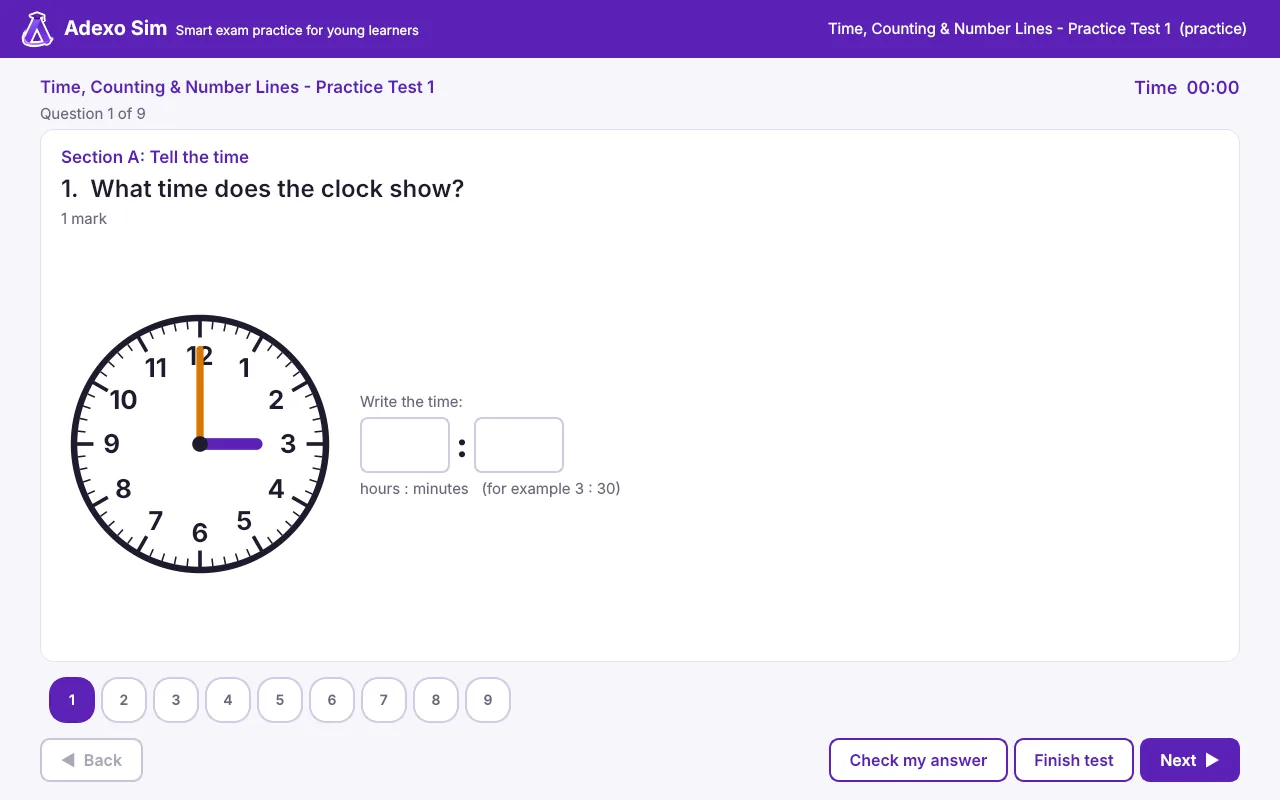
Adexo Sim turns school exam papers into friendly tests on the computer. Your child answers, gets an instant score with stars, and practises what they got wrong. You see exactly where they are strong and where they need help.
Free sample papers included · Works without internet · Results stay on your computer
Everything a young learner needs to feel exam-ready
Real exam-style questions, big friendly buttons, and feedback that encourages instead of discourages.
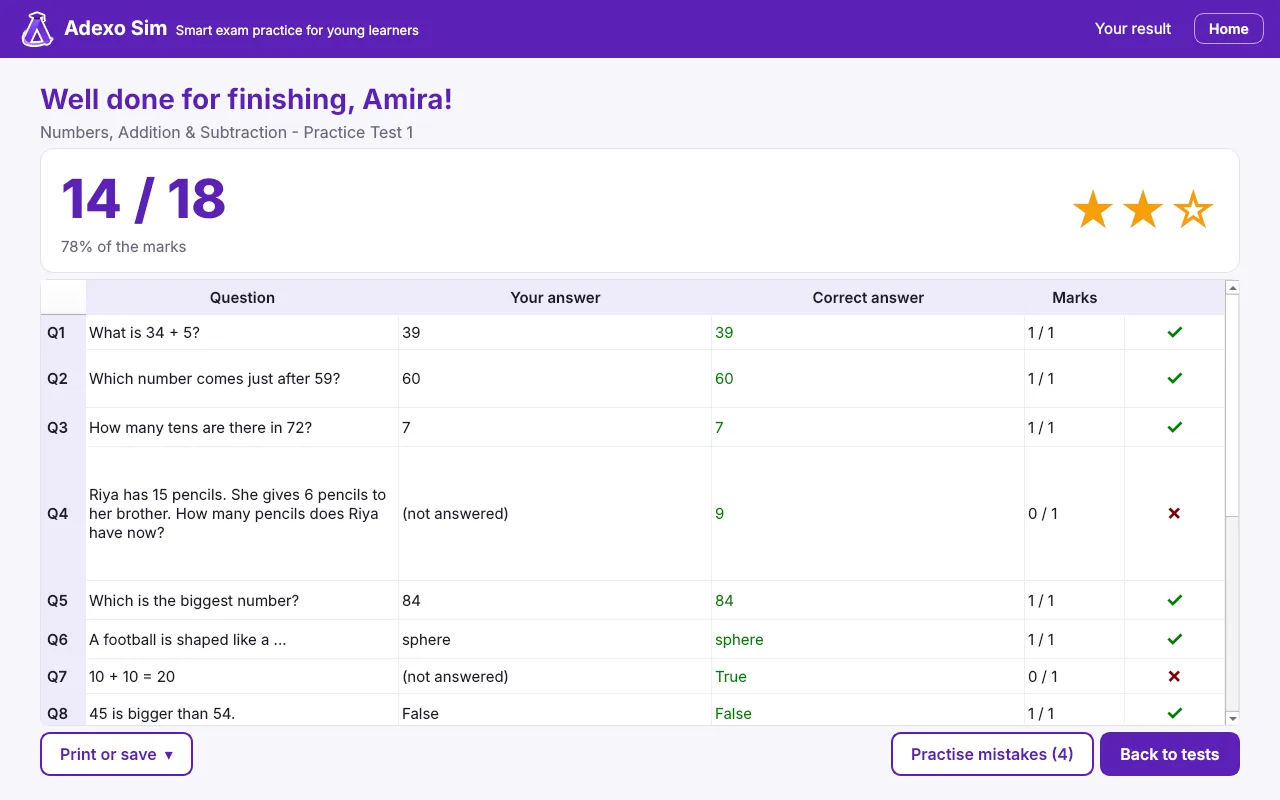
Instant score and stars
As soon as a test is finished, your child sees their score, stars and every answer marked.
Practice mode
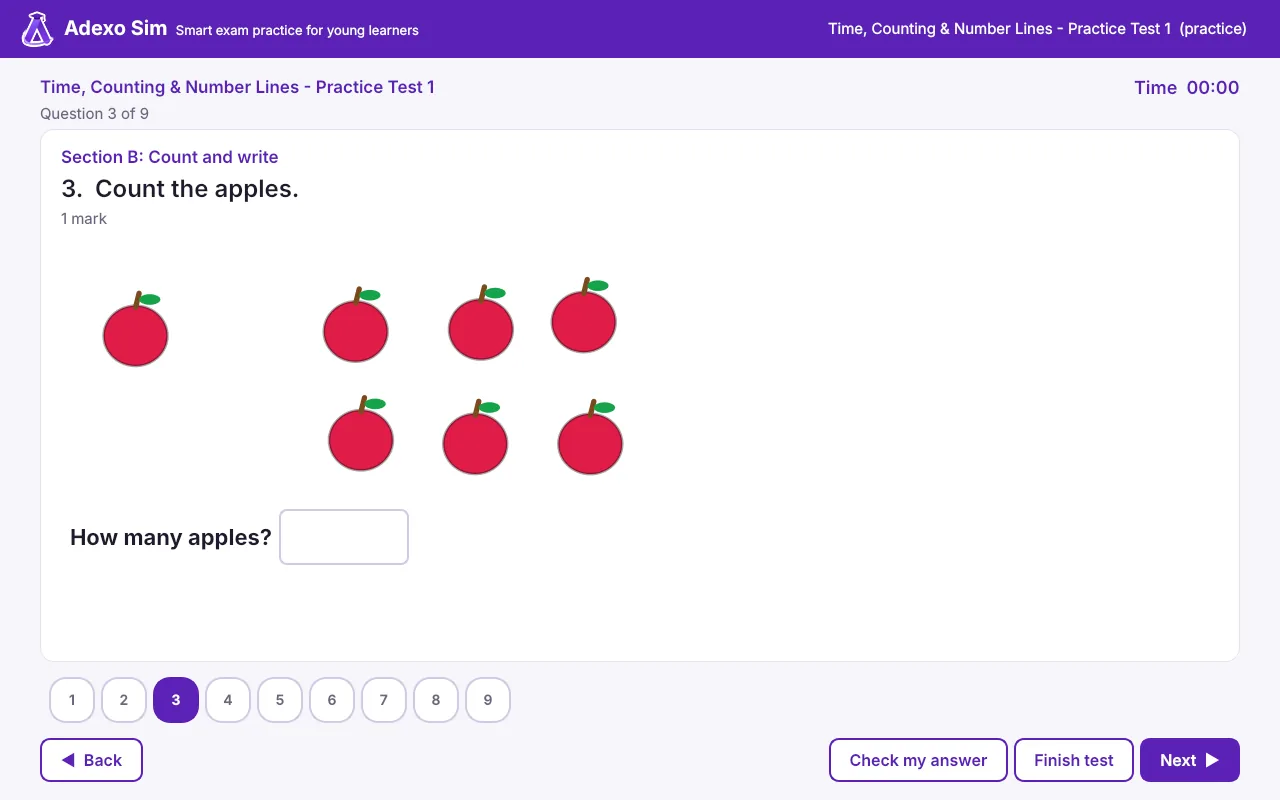
"Check my answer" after each question, with a hint and a second try. Learning, not just testing.
Practise mistakes
One click makes a new test from the questions they got wrong, until they get them right.
Read aloud
For children still learning to read: each question can be read out with the voices built into Windows.
Certificates and badges
A printable certificate for great results, plus badges and a daily goal that keep them coming back.
Progress for parents
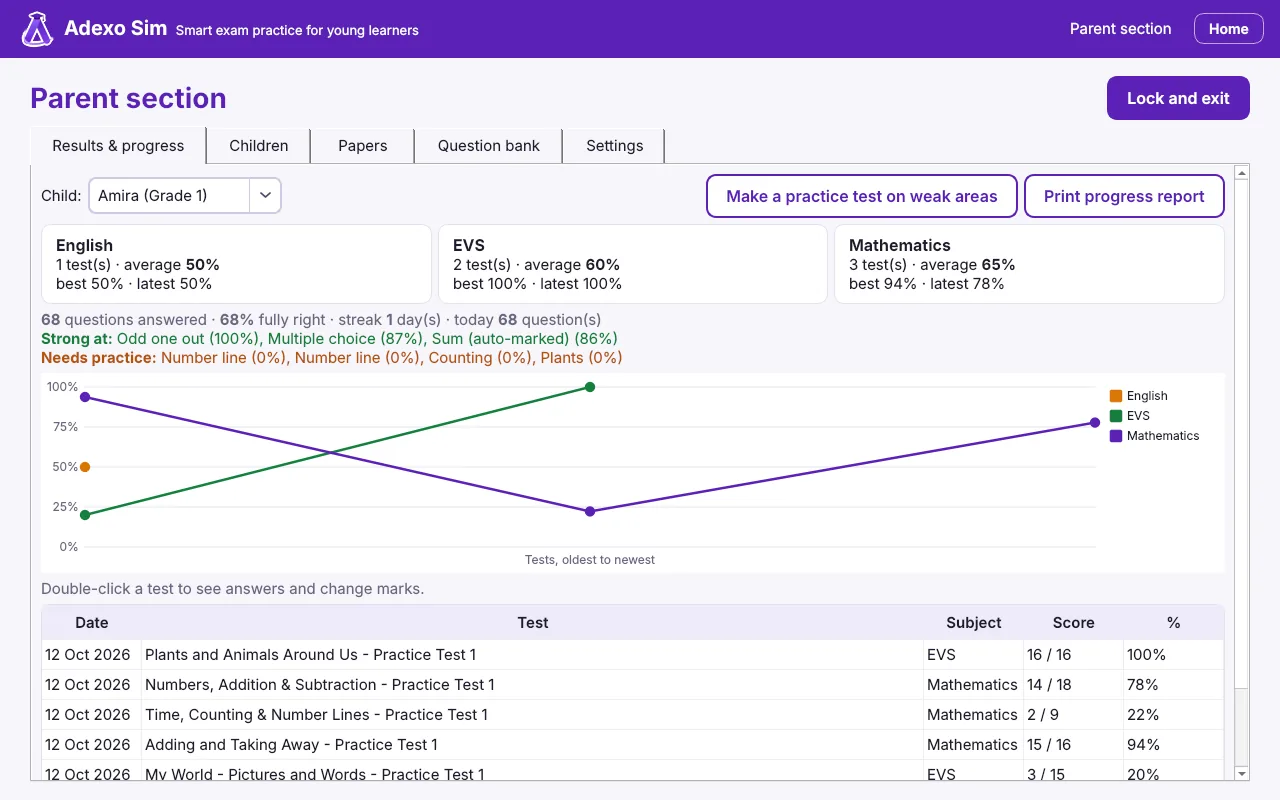
Scores by subject, a progress chart, strong and weak topics, and printable reports, all behind your PIN.
How it works
Set up in a few minutes. No account, no subscription to the app, no internet needed.
Install and add your child
Download Adexo Sim, choose a Parent PIN and add your child's name and grade.
Your child takes a test
They pick their name, choose a paper and answer on screen, with a timer like a real exam.
See results and improve
Scores, stars and corrections appear instantly. You see their progress over time.
19 kinds of questions, just like school papers
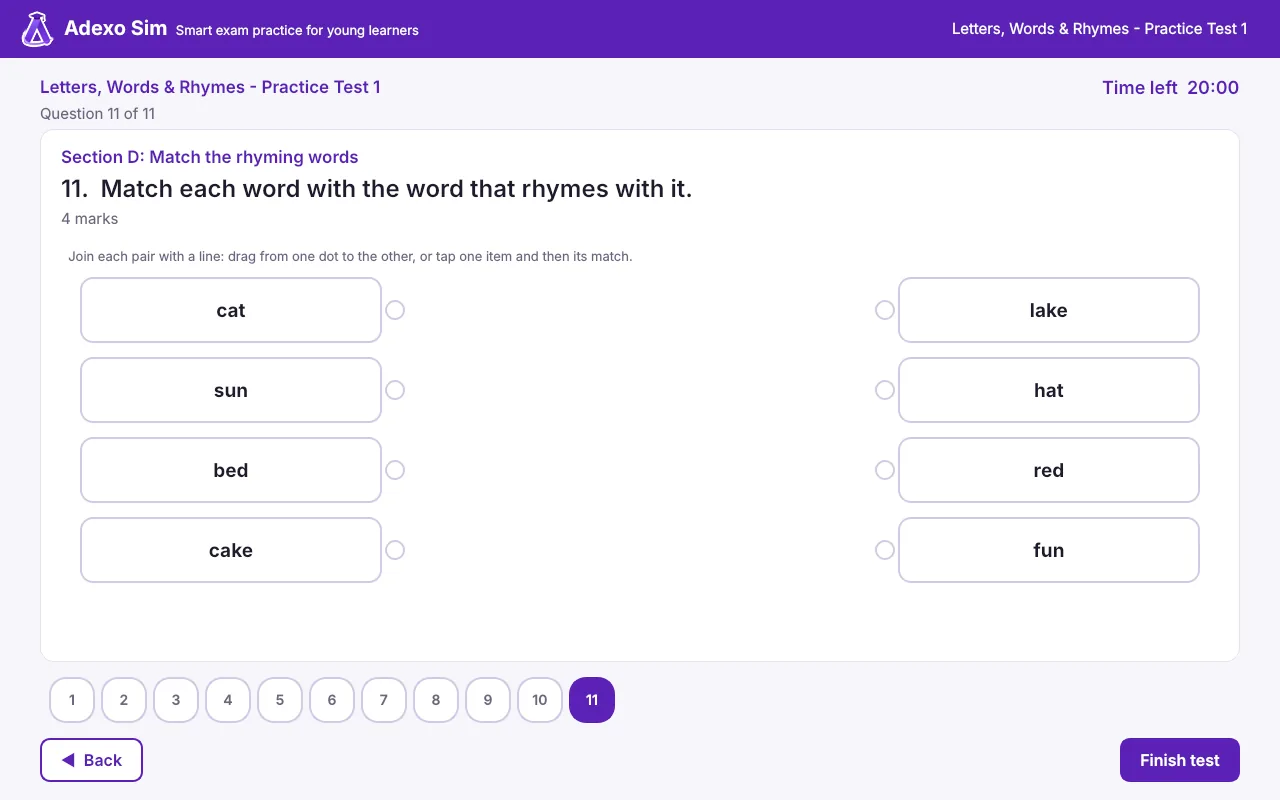
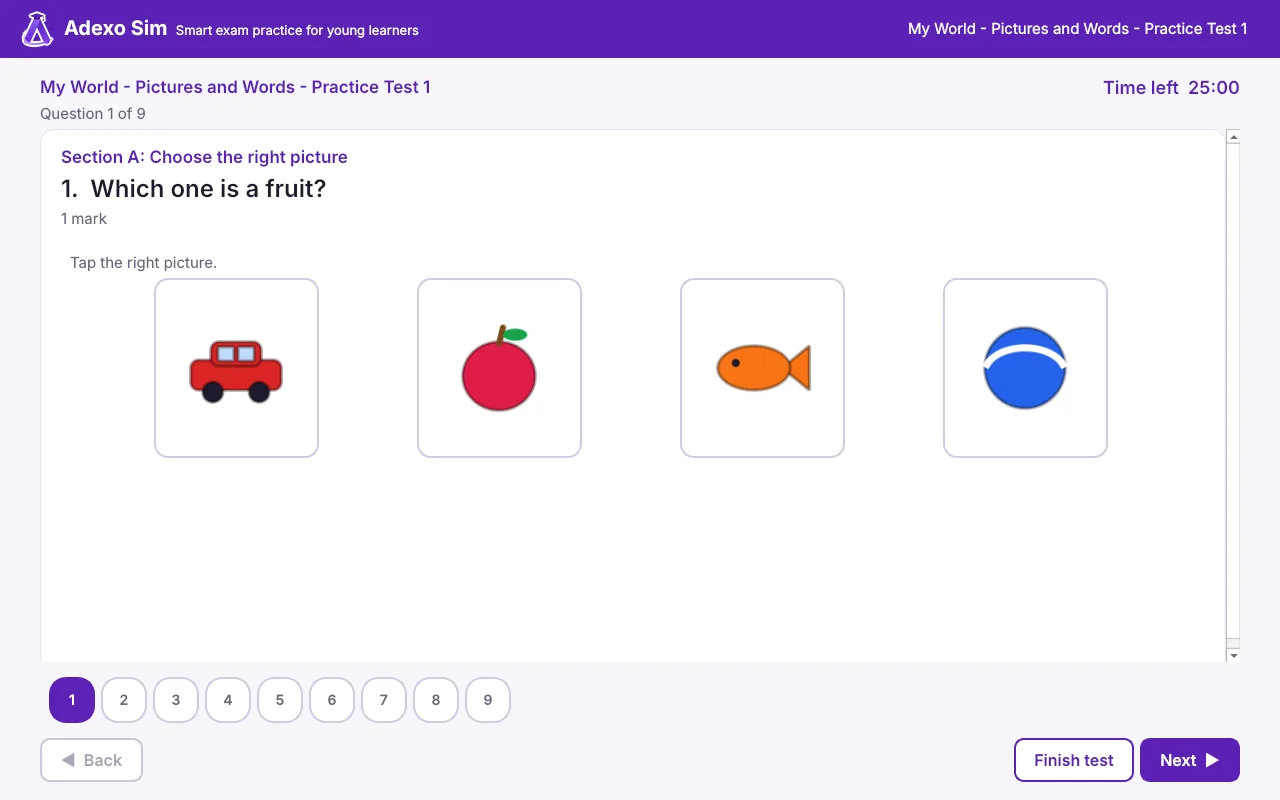
Not only multiple choice: children match, sort, count, read clocks, build sentences and more.
Made for parents and teachers too
- A PIN-protected Parent section, and an optional secret code for each child
- Progress chart, scores by subject, and the topics that need more practice
- One click makes a practice test on your child's weak areas
- Mark written answers yourself and change any mark if you disagree
- Print blank papers, results, answer keys and progress reports, or save them as PDF
- Several children on one computer, each with their own results
A certificate to be proud of
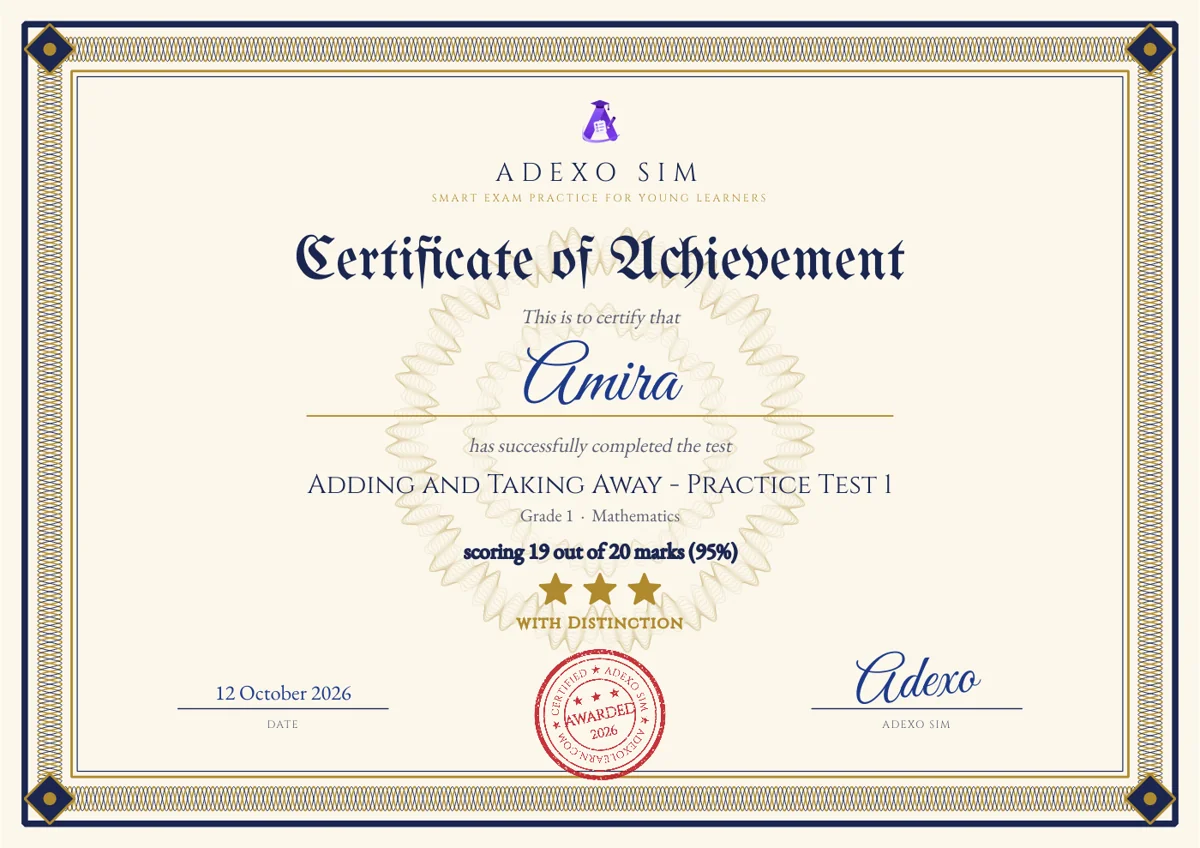
When your child scores 80% or more, they earn a certificate with their name, the paper, their score and stars. Print it or save it as a PDF or picture to share with family.
Private by design
Children's names, answers and results are stored only on your computer. Adexo Sim has no accounts, no adverts and does not send your child's data anywhere. Read our privacy policy.
Ready to try Adexo Sim?
Download it, add your child, and start with the free sample papers today.